
TL;DR
A Wired reporter tried Acuity Scheduling to manage a small, appointment-based side business and found the onboarding and customization straightforward. The service offers a seven-day free trial, multiple integrations and tiered paid plans, though some default settings and UI quirks may require attention.
What happened
A reporter used Acuity Scheduling to convert a casual service into a bookable side business, walking through account creation, service setup, availability rules, payment connections and page design. The platform guides users through creating appointment types (duration, price, description, privacy and optional intake forms), connecting payment processors (Stripe, Square, PayPal), and linking video providers such as Zoom and Google Meet. Availability can be set as regular hours with overrides and per-service schedules; limits can be applied to advance booking, cancellations and daily appointment caps. The author tested the public booking experience with friends and colleagues and received largely positive feedback on ease of booking, confirmations and reminders. Pain points included confusion over default payment settings, a limited post-booking “edit info” option, nonstandard appointment time alignment and a day-view calendar layout that required extra scrolling. The review notes tiered pricing, an enterprise option and a promo code for a discount.
Why it matters
- Automated scheduling can reduce time spent coordinating appointments for small businesses and solo operators.
- Built-in payments and video integrations let service providers accept bookings and host virtual sessions from one platform.
- Customizable availability and per-service rules help adapt the calendar to varied appointment lengths and staffing.
- Default settings and interface choices can affect client experience; owners should test booking flows before launching.
Key facts
- Acuity offers a seven-day free trial that does not require a credit card to start.
- Payment processing integrates with Stripe, Square and PayPal; the author connected PayPal smoothly.
- Video meeting services supported include Zoom, Google Meet, Join.me and GotoMeeting.
- Plans listed in the review: Starter $20/month, Standard $34/month, Premium $61/month; an enterprise/custom option is available.
- Starter features include client self-scheduling, unlimited services and appointments, one bookable calendar and automatic time zone conversion.
- Standard adds up to six bookable calendars, text reminders, bundled packages, memberships/subscriptions and gift certificates.
- Premium removes the “Powered by Acuity” branding, supports up to 36 calendars, multiple time zones, custom API/CSS, and will sign a BAA for HIPAA compliance.
- All paid plans are 20% off when billed annually; the article notes a promo code (WIRED20) for 20% off new Business subscriptions.
- Users can require payment in full, a deposit, capture card details for later charging, or offer pay-what-you-want pricing; packages and gift certificates are paid in full at purchase.
- The platform includes intake forms and agreement policies that can be required before booking; the reviewer used these features.
What to watch next
- Default payment settings may not require upfront payment and can confuse clients; test and adjust payment requirements before going live.
- The post-booking “edit info” button may not allow clients to change booking details beyond acknowledging terms — verify editing behavior for your use case.
- Appointment times do not default to on-the-hour slots, which can create irregular schedule gaps unless settings are adjusted.
- Calendar display defaults (day view) can require extra scrolling to find future dates; explore display options to fit your booking patterns.
Quick glossary
- Scheduling platform: Software that enables businesses and individuals to publish available times, accept bookings, and manage appointments.
- Intake form: A pre-appointment questionnaire that collects client information, consents or details needed to prepare for a service.
- Payment processor: A third-party service (e.g., Stripe, Square, PayPal) that handles electronic payments and card transactions.
- BAA (Business Associate Agreement): A legal contract that a service provider can sign to comply with HIPAA requirements when handling protected health information.
- API: Application Programming Interface — a set of rules that lets different software systems communicate and integrate with each other.
Reader FAQ
Is there a free trial and do I need a credit card?
Yes. Acuity provides a seven-day free trial and the review says a credit card is not required to start.
What payment methods are supported?
Acuity integrates with Stripe, Square and PayPal for processing payments and deposits.
How much does Acuity cost?
The article lists Starter at $20/month, Standard $34/month, Premium $61/month, plus a custom enterprise option; annual billing offers 20% off.
Does Acuity support teleconferencing?
Yes. The reviewer connected Zoom and notes support for Google Meet, Join.me and GotoMeeting.
Is enterprise pricing or setup detailed?
not confirmed in the source
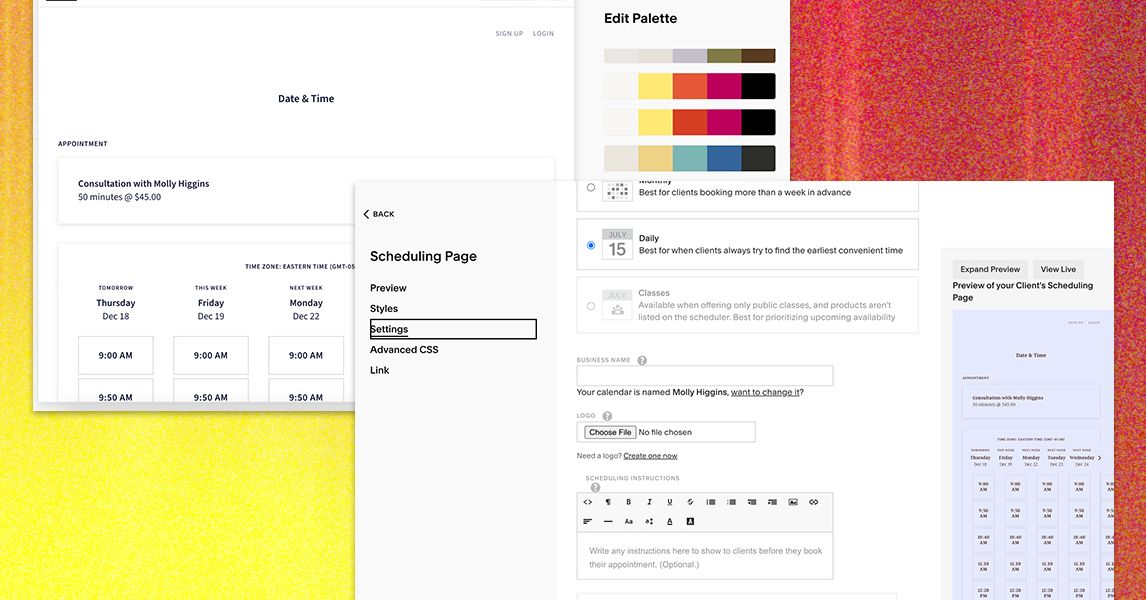
MOLLY HIGGINS GEAR JAN 1, 2026 4:30 AM I Used Acuity Scheduling to Try to Organize My Business. Here's How It Went The online booking platform aims to streamline scheduling…
Sources
- Here’s What It’s Like to Use Acuity Scheduling for Your Business or Side Hustle (2026)
- I Review Squarespace's Acuity Scheduling Tool
- Acuity Scheduling Review 2026: Pricing, Features, Pros & …
- Squarespace's Acuity Scheduling: Should You Use It?
Related posts
- Visible promo codes and coupons for January 2026 — save up to $140
- AT&T January Deals: Fiber, iPhone 17 Pro, Prepaid Plans and Bundles
- 9to5Mac Daily: December 31, 2025 — What’s next for Apple Fitness+?