
TL;DR
Google is preparing a 'My Calling Card' option for the Phone by Google app that lets users create a personal call-screen image and style it with fonts and colors. The beta app reveal shows setup steps and visibility controls, and the feature may not appear for contacts who have already set a card for you.
What happened
Google introduced a Calling Card feature last year that allowed Android users to assign custom call-screen images to contacts, but it did not include a way for users to create a card that represents themselves. Android Authority discovered a full implementation of a 'My Calling Card' flow inside a Phone by Google beta (version 204.0.852029473), indicating the company is close to releasing the feature. The setup is accessed from the Calling card section in the Phone app settings and begins by choosing a Google account. Users can select an image from the Camera, Gallery, or Google Photos and then pick font style, size, and color. A preview step shows how the card will look and lets users choose whether it is visible to everyone or only to their contacts, with a note that images may be cropped to fit different screens. Android Authority also reports the personal card may not override a card that a contact has already created for you.
Why it matters
- Brings feature parity with Apple’s Contact Poster by allowing users to present a self-styled call screen.
- Gives users control over how they appear on others’ incoming-call screens through image and typography choices.
- Visibility settings let users restrict their personal card to contacts only, offering a basic privacy control.
- The behavior where a contact’s existing card can take precedence avoids direct conflicts between caller and receiver customizations.
Key facts
- Google first rolled out a Calling Card feature last year to set custom call-screen images for contacts.
- Development of a personal-facing option called 'My Calling Card' has been tracked since October.
- Android Authority enabled My Calling Card inside Phone by Google beta version 204.0.852029473.
- Setup is located in the Calling card section of the Phone app’s Settings.
- During creation users choose a Google account, pick an image (Camera, Gallery, or Google Photos), and select font, size, and color.
- A preview step shows the final layout and warns that images may be cropped to fit various screens.
- Users can make their card visible to everyone or limit it to contacts only.
- If a contact has already set a calling card for you, your My Calling Card may not appear on their screen.
What to watch next
- Exact public launch date and wider availability across devices and regions: not confirmed in the source
- Whether the feature will roll out via a Phone app update or require server-side activation: not confirmed in the source
- How Android will handle conflicts and precedence in broader scenarios beyond the reported case: not confirmed in the source
Quick glossary
- Calling Card: A customizable image and text layout that appears on a recipient’s incoming-call screen to identify the caller.
- My Calling Card: A personal calling card feature that lets a user create a self-styled call-screen image and choose visibility settings.
- Phone by Google: Google’s default dialer app for Android that manages calls, contacts, and call-screen features.
- Beta: A pre-release version of software provided for testing that may include experimental features not yet available to all users.
Reader FAQ
What is My Calling Card?
A Phone by Google feature that lets you create a personalized call-screen image with font and color options for how you appear to others.
How do I create one?
According to the beta flow, you open Calling card in Phone app settings, choose Create, pick a Google account, select an image (Camera, Gallery, Google Photos), then choose font, size and color and preview the card.
Will my card show up on everyone’s phone?
You can choose to show it to everyone or only to contacts; however, it may not appear if a contact has already set a calling card for you.
When will My Calling Card be available?
not confirmed in the source
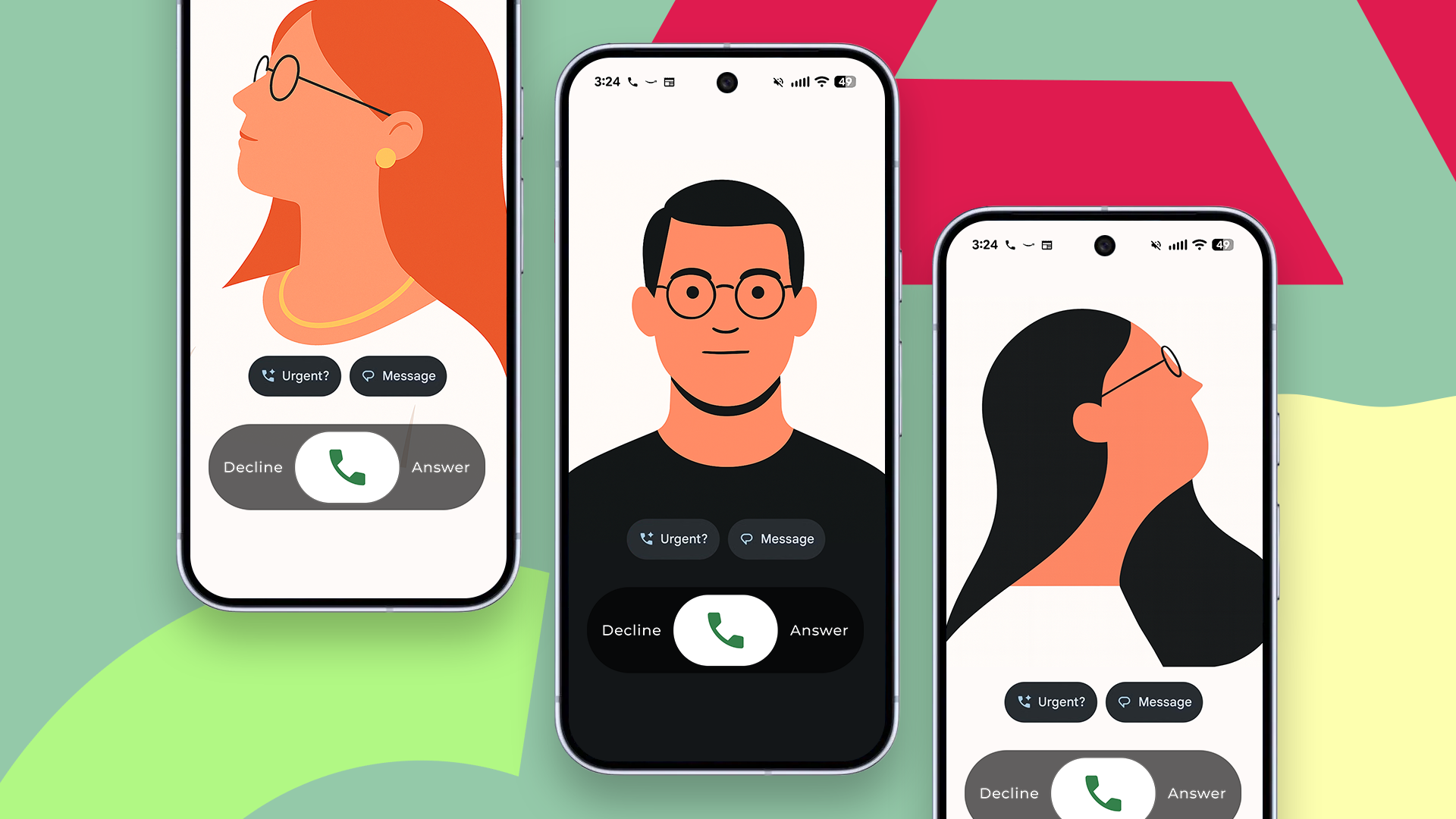
Android will soon let you set a calling card for yourself Credit: Lucas Gouveia / Android Police By Chethan Rao Published 18 minutes ago Chethan is a reporter at Android Police,…
Sources
- Android will soon let you set a calling card for yourself
- How Google's new 'My Calling Card' feature works on …
- Google could finally let you control how your caller ID …
- Google Phone's 'calling cards' may work like social media …
Related posts
- Chewy Promo Codes January 2026 — $20 Off, 50% Pet Food Deals & More
- Why I Left iNaturalist — Founder Explains Departure After 18 Years
- NAD rebukes T‑Mobile ads over price-hike and satellite coverage claims