
TL;DR
Microsoft ended official support for Windows XP on April 8, 2014, meaning no more security updates or technical support. Users can stick with XP, upgrade to Windows 7 or 8.1 (with potential cost and compatibility issues), or move to Linux, which the source presents as a free, viable alternative—especially for older hardware.
What happened
On April 8, 2014 Microsoft retired Windows XP, ceasing security patching and formal technical support. Machines running XP will continue to operate, but they will no longer receive updates that address newly discovered vulnerabilities. The article reviews choices for users: remain on XP, upgrade to Windows 7 or 8.1, or migrate to Linux. Upgrading to a newer Windows often requires newer, more powerful hardware and may force replacement of applications and peripherals that lack updated drivers. Downgrading from Windows 8.1 to Windows 7 is described as bureaucratic and potentially costly, with specific OEM and retail licensing price differences. As an alternative, the article recommends trying Linux—which can be tested from removable media, installed alongside XP, or used as a host for an XP virtual machine—and outlines Linux’s strengths, trade-offs, and readily available distributions and vendors.
Why it matters
- End of official updates increases security risk for systems that remain on Windows XP.
- Upgrading within Windows can require new hardware, replacement software, and extra licensing costs.
- Linux offers a no-cost, lightweight option that can extend the usable life of older PCs.
- Organizations and individuals must weigh migration effort, software compatibility, and support needs.
Key facts
- Windows XP support officially ended on April 8, 2014.
- After end-of-life, XP systems keep running but no longer receive security patches or technical support.
- Windows 8.1 introduces a redesigned interface and touchscreen support; Windows 7 resembles XP more closely.
- Downgrading from Windows 8.1 to Windows 7 can require specific license rights and may involve purchasing Windows 7 Professional (OEM and retail prices were cited).
- Older XP machines—particularly those over six years old—may lack the resources needed to run Windows 7 or 8.1.
- Linux distributions can be downloaded for free and trialed from a USB stick or DVD without installing to the hard drive.
- Linux can be installed alongside XP or used to host XP inside a virtual machine, preserving access to legacy software.
- Advantages of Linux noted include resistance to Windows malware, strong hardware support, one-click package installation from secure sources, and a mix of free and commercial software.
- Limitations include that native Windows applications (for example, Microsoft Office, Outlook, and Internet Explorer) generally do not run on Linux without alternatives or compatibility layers.
- Independent vendors such as System76 and ZaReason sell computers preinstalled with Linux and are highlighted for using higher-quality components.
What to watch next
- Availability of Windows 7 PCs is described as gradually diminishing; monitor retail offerings and vendor support.
- The adoption of Android on laptops and desktops is an emerging trend noted in the source; watch for new form factors and devices.
- not confirmed in the source
Quick glossary
- End-of-life (EOL): The point when a software vendor stops providing updates, security patches, and official support for a product.
- Distribution (distro): A packaged version of the Linux operating system that includes the kernel, system tools, and additional applications tailored for specific users or use cases.
- Virtual machine (VM): Software that emulates a computer system, allowing one operating system to run inside another as a guest.
- OEM (Original Equipment Manufacturer): A version of software sold for installation on new hardware, often with different licensing terms and limited vendor support compared with full retail copies.
- Live session: Running an operating system directly from removable media (USB/DVD) without installing it to the computer’s hard drive, used for testing or repair.
Reader FAQ
Will my Windows XP computer stop working after support ends?
No; systems will continue to run, but they will not receive security updates or official technical support.
Can I run my existing Windows applications on Linux?
Only if those applications have Linux versions or suitable alternatives; Microsoft Office, Outlook and Internet Explorer do not run natively on Linux according to the source.
Is upgrading to Windows 7 or 8.1 always feasible on an XP PC?
Not always—machines older than about six years may lack sufficient processing power or storage to support newer Windows releases.
Can I try Linux before replacing XP?
Yes; the source describes testing Linux from a USB stick or DVD without installing it, or installing Linux alongside XP and using a virtual machine for XP if needed.
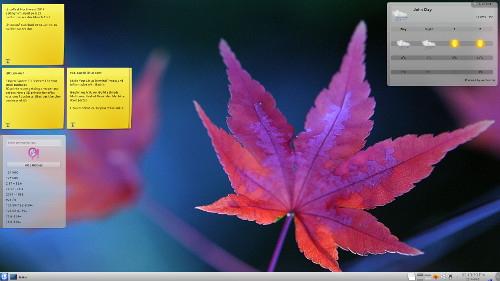
Training and Tutorials Replace the Retiring Windows XP with Linux By Carla Schroder – April 8, 2014 19065 Windows XP is officially retired as of April 8, 2014. Microsoft has tried to…
Sources
- Replace the Retiring Windows XP with Linux
- What are some reasons why someone might switch from …
- 5 reasons why you should switch from Windows XP to …
- You want to replace Windows XP with Linux? Seriously?
Related posts
- Porting xv6-riscv to the SiFive HiFive Unmatched board (FU740)
- Happy 50th Birthday KIM-1: Community Demo Marks Early Microcomputer Milestone
- How TiVo Changed Television: The Device That Killed Live TV Habits