
TL;DR
Microsoft is discontinuing the standalone Office Lens (Microsoft Lens) app on iOS and Android. Support ends February 9, 2026, and the app will stop functioning after March 9, 2026; its scanning features are available in OneDrive.
What happened
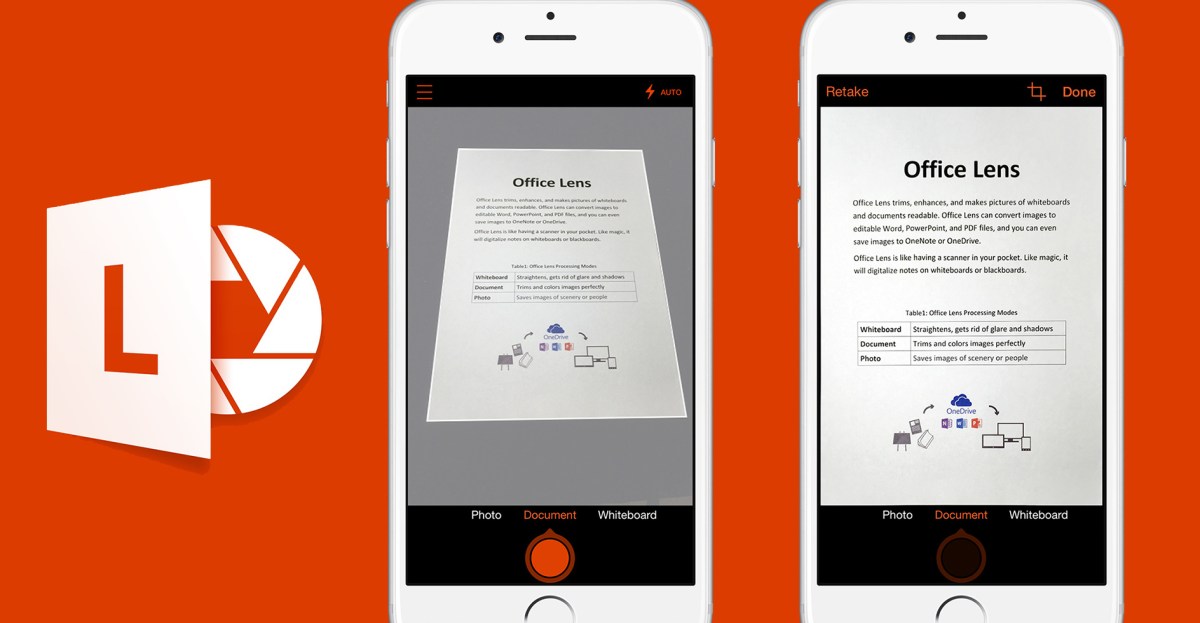
Microsoft announced it will remove the Office Lens (Microsoft Lens) scanner app from iOS and Android in the coming months. The company will end support for the app on February 9, 2026, and the app will cease to function after March 9, 2026. Microsoft says the scanning capabilities that Lens provided—capturing whiteboards, documents and receipts, and saving or editing those scans—are now included in the OneDrive mobile app. Users can still create scans, crop and rotate captured images, and convert pictures into Word or PDF format via OneDrive. Office Lens was first released in 2015 for iOS and Android after an initial launch on Windows Phone; Microsoft framed the move as a consolidation of mobile scanning features into OneDrive, making a separate Lens app redundant.
Why it matters
- Users who rely on the standalone Lens app will need to migrate to OneDrive for mobile scanning features.
- Core scanning functions — capture, crop, rotate, and convert to Word/PDF — remain available within Microsoft’s ecosystem.
- The change reflects Microsoft’s ongoing consolidation of standalone mobile utilities into larger apps, which can alter user workflows.
- Enterprises and users with workflows tied to the Lens app should verify their processes now to avoid disruption after the shutdown dates.
Key facts
- Microsoft will end support for the Office Lens/Microsoft Lens app on February 9, 2026.
- The Lens app will stop operating after March 9, 2026.
- OneDrive’s mobile app now includes the scanning features previously offered by Lens.
- OneDrive can capture images of whiteboards, documents, and receipts, then save and edit them.
- Captured images in OneDrive can be converted into Word or PDF documents and can be cropped and rotated.
- Office Lens originally launched in 2015 for iOS and Android following an initial release on Windows Phone.
- Microsoft described the dedicated Lens app as redundant because its functionality exists in OneDrive.
What to watch next
- Whether Microsoft provides migration guidance or tools for users with large Lens libraries (not confirmed in the source).
- If any features from the standalone Lens app are missing or behave differently inside OneDrive after the switch (not confirmed in the source).
- Whether Microsoft will retire other standalone mobile Office utilities as features are merged into OneDrive or other apps (not confirmed in the source).
Quick glossary
- Office Lens / Microsoft Lens: A mobile scanning app that captures documents, whiteboards, and receipts and helps convert them into editable files.
- OneDrive: Microsoft’s cloud storage service that includes file backup, sharing, and some document-editing and scanning features on mobile.
- PDF: Portable Document Format, a widely used file type for presenting documents independent of software, hardware, or operating systems.
- OCR: Optical character recognition, a technology that converts images of text into machine-encoded text; commonly used in scanning apps.
Reader FAQ
When will Office Lens stop being supported and functional?
Support ends February 9, 2026, and the app will stop functioning after March 9, 2026.
Can I still scan documents with Microsoft tools after Lens is retired?
Yes. Microsoft says the scanning features are available in the OneDrive mobile app, including capture, edit and conversion to Word or PDF.
Was Office Lens a long-standing app?
Yes. Office Lens launched for iOS and Android in 2015 following an initial release on Windows Phone.
Will Microsoft provide tools to move my Lens scans to OneDrive?
not confirmed in the source
NEWS TECH MICROSOFT Microsoft is retiring its Office Lens app on iOS and Android The scanning features of Lens are now available in Microsoft’s OneDrive app instead. by Tom Warren…
Sources
- Microsoft is retiring its Office Lens app on iOS and Android
- Retirement of Microsoft Lens
- Microsoft is retiring the Lens scanner app for iOS, Android
- Microsoft shuts down a fan‑favorite app
Related posts
- TurboTax January 2026 Deals: 10% Off Full Service and Live Help
- Verizon January 2026 Deals: Up to 50% Off Plans and $1,100 Phone Credits
- Google issues January 2026 Pixel update with GPU and display fixes