
TL;DR
An internal Android 17 build leaked details showing a split notification and Quick Settings layout on foldable inner screens, while the outer cover would retain the combined view. The build also includes a long-requested separate mobile data tile and other bug fixes; Google has not yet confirmed when or if these changes will ship.
What happened
Reports based on an internal Android 17 build (codenamed CinnamonBun) suggest Google has continued work on separating the notification shade and Quick Settings panel after related changes first appeared in early Android 16 betas but were omitted from the final release. The leak, attributed to Mystic Leaker, indicates the inner display on foldable devices would always use the split layout: swiping down from the left opens notifications and swiping down from the right brings up Quick Settings. The classic combined panel would still be used on the smaller outer cover display. The same internal build reportedly includes an option to show a separate mobile data tile in Quick Settings so users can toggle cellular data with a single tap. The report notes several visual and functional bugs were addressed in this build. Google has not released the first Android 17 Developer Preview; these interface changes may appear in the initial preview or a later beta.
Why it matters
- A split layout changes basic navigation gestures on larger foldable screens, altering how users access notifications and system controls.
- The move aligns Android’s approach with some vendor skins and other platforms that separate Quick Settings and notifications for larger displays.
- A dedicated mobile data tile simplifies turning cellular data on or off without changing Wi‑Fi settings.
- If enforced on inner foldable displays, the change would reduce user choice compared with a single combined panel.
Key facts
- Rumors about separating Quick Settings and notifications have circulated for more than a year.
- Early Android 16 beta builds showed similar changes, but they were not included in the final Android 16 release.
- The internal Android 17 build is codenamed CinnamonBun, per the leak.
- The leak source cited is Mystic Leaker.
- On foldables, the outer cover display would keep the combined notification/Quick Settings panel.
- The larger inner foldable screen would default to a split layout with no option to revert, per the report.
- Swipe down from the left on the inner screen would reveal notifications; swipe down from the right would open Quick Settings.
- The build reportedly adds an option to separate Wi‑Fi and mobile data into distinct Quick Settings tiles.
- Google has not yet published the first Android 17 Developer Preview; these features could appear in the first preview or a later beta.
What to watch next
- Whether the split notification/Quick Settings layout appears in the official Android 17 Developer Preview — not confirmed in the source.
- If Google will offer a user option to revert to the combined layout on non‑foldable devices — not confirmed in the source.
- How OEMs and app developers adapt UI guidance and gestures for foldables if Google ships the split layout — not confirmed in the source.
Quick glossary
- Notification shade: The pull‑down area that shows incoming notifications and quick access to some app alerts.
- Quick Settings: A panel of toggle tiles for system controls like Wi‑Fi, Bluetooth, and brightness accessed from the top of the screen.
- Foldable: A smartphone or tablet with a flexible display that folds to provide a larger internal screen and a smaller outer cover screen.
- Developer Preview: An early release of an operating system intended for developers to test compatibility and provide feedback before public betas.
Reader FAQ
Will Android 17 force the split layout on all devices?
Not confirmed in the source. The leak describes foldable inner screens defaulting to the split layout, while the outer cover would retain the combined view.
Can users keep the classic combined notification and Quick Settings panel?
Partially confirmed in the source: a previous report suggested Google might offer an option to retain the classic layout generally, but the internal build reportedly forces the split view on foldable internal screens.
Will Wi‑Fi and mobile data be separate Quick Settings tiles?
Yes— the internal Android 17 build reportedly introduces an option to show a distinct mobile data tile alongside Wi‑Fi.
When will these changes be released to the public?
Not confirmed in the source. Google has yet to release the first Android 17 Developer Preview; the changes may appear in that preview or in a subsequent beta.
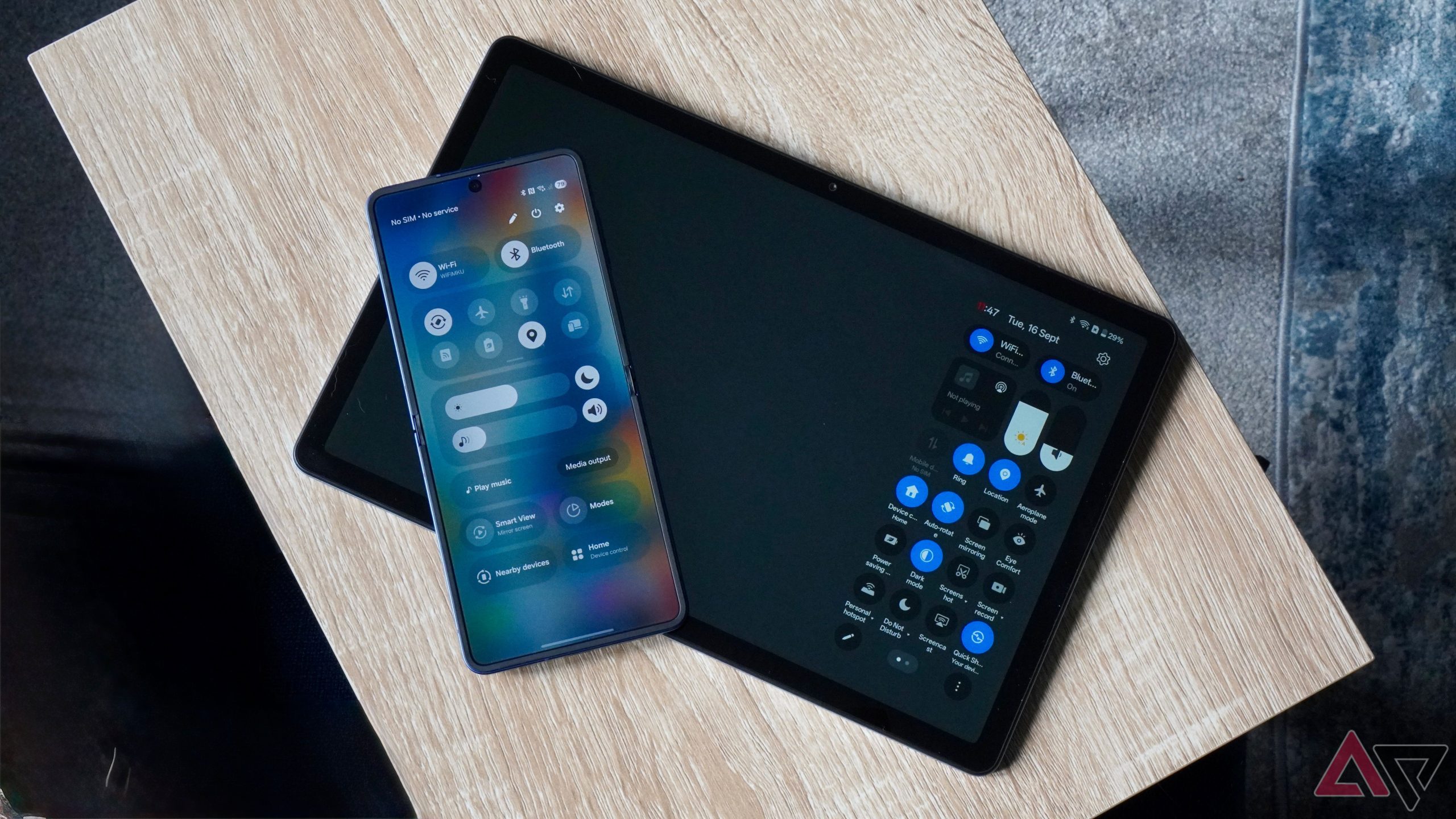
Android 17’s split notification shade looks inevitable on foldables By Rajesh Pandey Published 7 minutes ago Rajesh started following the latest happenings in the world of Android around the release…
Sources
Related posts
- How IRC Amplifies Social Interaction Compared with Real Life
- How to use TestFlight to install and test beta apps across Apple devices
- FCC allows Verizon to keep customers’ phones locked beyond 60 days