
TL;DR
A journalist replaced a long-running Windows 10 setup with Linux in January 2025 and spent the following year running Ubuntu then Fedora as daily drivers. The switch required a learning curve—command-line work, disk configuration, and troubleshooting—but delivered strong customization, control over installed software, and broad gaming support via Proton.
What happened
In January 2025 the author erased a Windows 10 installation and installed Ubuntu, intending to move fully to Linux. The first night brought setup frustrations—missing packages, a lack of command-line experience and a misconfigured fstab entry that prevented an SSD from mounting—but those problems were solved with research and hands-on fixes. The writer later moved from Ubuntu to Fedora and experimented with multiple desktop environments (Hyprland, Cinnamon and KDE Plasma), customizing themes, icons and the terminal. The system is used for work, gaming, photo and video editing, and hobby coding for Arduino projects. Gaming appears largely successful through Valve’s Proton; some Windows apps were run via Wine and others were replaced with open-source alternatives. When issues arose the author leaned on community resources, Stack Overflow and AI chat tools to troubleshoot, and ultimately kept Linux as a long-term platform while using a MacBook for work.
Why it matters
- Linux can serve as a full-time desktop OS for many users, including gamers and creative workflows, when paired with compatibility layers and open-source alternatives.
- Adopting Linux involves a willingness to troubleshoot and use command-line tools; the payoff can be greater customization and control over installed software.
- Compatibility gaps—particularly anti-cheat for competitive games and some proprietary apps—remain potential deal-breakers for some users.
- Linux can extend the usable life of older hardware, allowing users to revive devices that can’t run newer versions of Windows.
Key facts
- The author replaced a Windows 10 installation with Ubuntu in January 2025 and later switched to Fedora.
- Desktop environments used included Hyprland (with ML4W Dotfiles), Cinnamon and KDE Plasma, with extensive visual customization.
- Early troubleshooting included fixing a missing fstab entry to properly mount an SSD.
- Gaming was handled via Valve’s Proton; the author reports most Steam library titles run well, with occasional Proton or launch tweaks.
- Some Windows-only applications aren’t natively available on Linux; the author used Wine for iTunes and open-source alternatives (e.g., LibreOffice, RawTherapee) in place of Adobe and Microsoft software.
- App packaging formats mentioned include Snap, Flatpak and AppImage; permissions and missing libraries sometimes required manual fixes.
- Community resources, Reddit threads, Stack Overflow solutions and AI chatbots (Mistral’s Le Chat and Anthropic’s Claude) were used to solve problems.
- The author revived a nine-year-old laptop with Linux but later retired it for a MacBook used for work, while retaining a Linux gaming PC for other tasks.
- Competitive multiplayer titles that require anti-cheat often do not run on Linux, which can be a hard limit for some gamers.
What to watch next
- Whether anti-cheat support improves for competitive multiplayer titles and becomes more Linux-friendly — not confirmed in the source
- How compatibility layers like Proton evolve to reduce the need for manual tweaks — not confirmed in the source
- Whether the author will further reduce Mac usage and consolidate more workflows back to Linux — not confirmed in the source
Quick glossary
- Distribution (distro): A packaged version of the Linux operating system that bundles the kernel with a selection of software, system tools and a package manager (examples: Ubuntu, Fedora).
- Desktop environment: The graphical shell that provides windows, panels, icons and system settings for interacting with a Linux system (examples: KDE Plasma, Cinnamon, Hyprland).
- Proton: A compatibility layer developed by Valve that lets many Windows-only games run on Linux through Steam.
- Wine: A compatibility tool that enables some Windows applications to run on Unix-like operating systems without needing a full Windows installation.
- fstab: A system configuration file that defines how disk partitions and storage devices are mounted into the filesystem at boot.
Reader FAQ
Did the author completely remove Windows?
Yes — the author wiped a Windows 10 installation and installed Ubuntu in January 2025.
Which Linux distributions and desktop environments were used?
The author started with Ubuntu, later moved to Fedora, and used desktop environments including Hyprland, Cinnamon and KDE Plasma.
Can you run games on Linux?
Many games ran well via Valve’s Proton, though some titles may require configuration tweaks and competitive games with anti-cheat often won’t work.
Were proprietary apps like Adobe supported?
Adobe apps were not natively supported; the author used open-source replacements such as LibreOffice and RawTherapee, and used Wine for some Windows apps like iTunes.
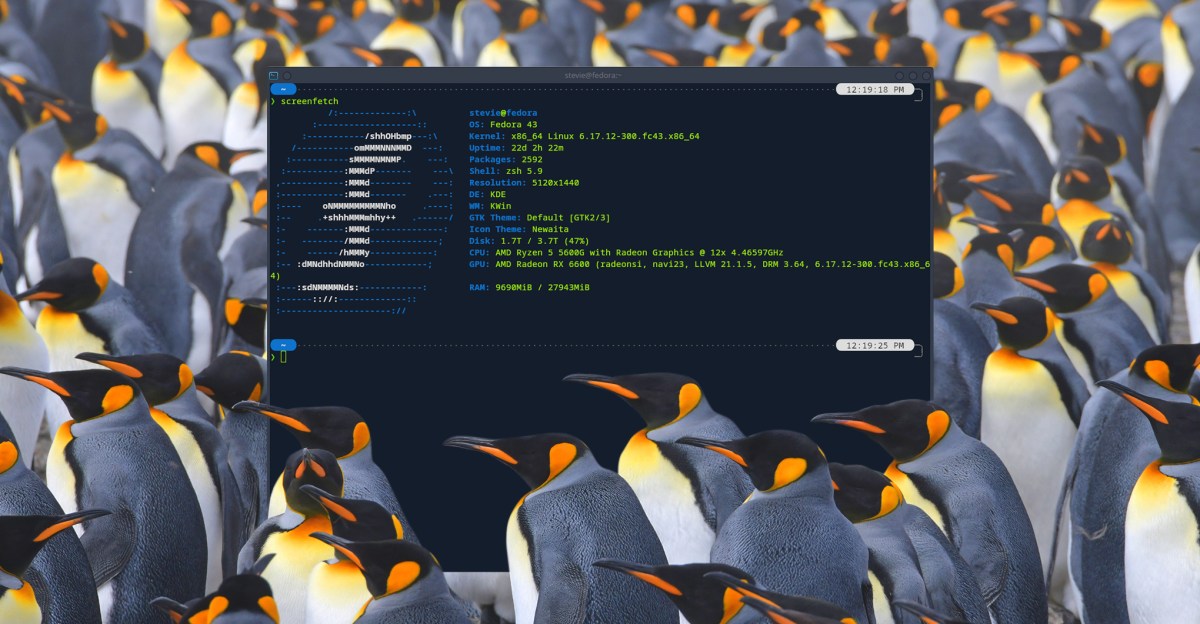
FEATURES TECH LINUX I spent a year on Linux and forgot to miss Windows One year on Linux, two distros, a few tears, four desktop environments, and zero regrets about…
Sources
- I spent a year on Linux and forgot to miss Windows
- Switched Back to Windows After over 10 Years on Linux
- I replaced Windows with Linux and everything's going great
- After a month of using Linux, i decided to stay and get rid …
Related posts
- All four Matrix films on 4K Blu-ray are now $45 at Walmart — sale
- US regulator orders GM to curb customer tracking in connected cars
- I saw the future of e-paper at CES 2026, and I’m excited for it