
TL;DR
Apple says the distinct icon set introduced for apps in Apple Creative Studio will mark subscription versions, but it won’t replace standalone one-time-purchase apps. Users who previously bought apps can keep and run both the purchased and Creative Studio editions side-by-side.
What happened
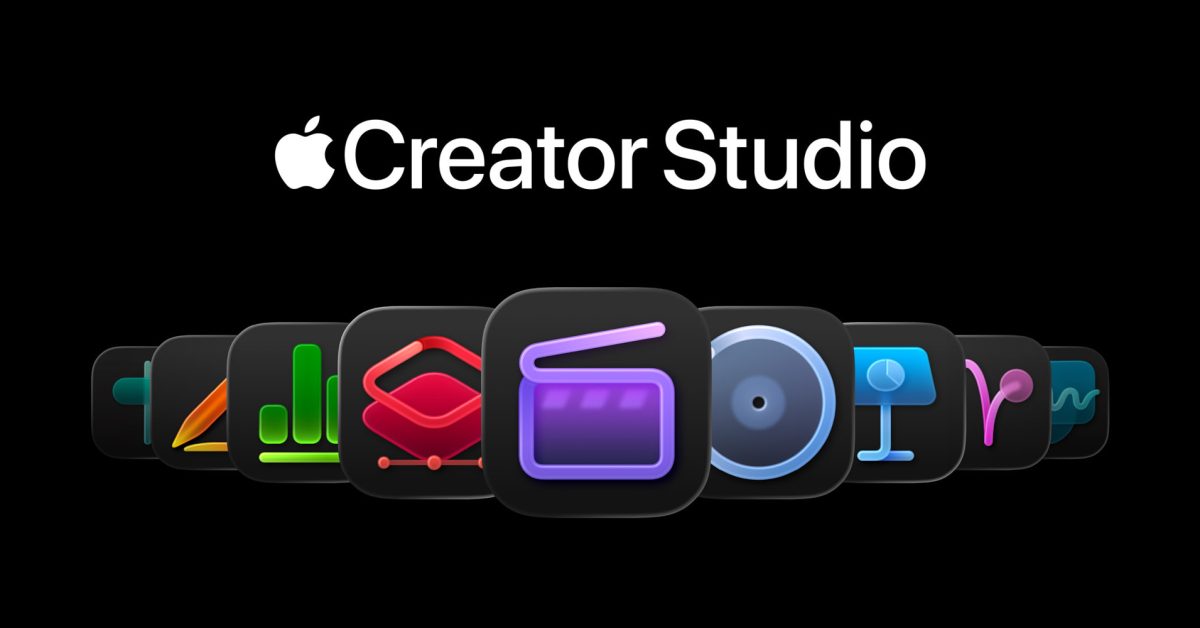
Apple clarified in a support document that apps included in the Apple Creative Studio bundle will use a different icon style to identify the subscription editions, but those icons won’t be imposed on separately purchased copies. Several pro macOS apps — including Final Cut Pro, Motion, Compressor, Logic Pro, MainStage and Pixelmator Pro — remain available as one-time purchases on the Mac App Store. According to Apple, people who already own those apps and also subscribe to Apple Creative Studio can use either version; both can be installed simultaneously on the same Mac. The company also noted it will reserve some AI-powered capabilities for the subscription editions of its professional and productivity apps. Apple Creative Studio is scheduled to launch on January 28, and the visual redesign of icons prompted notable online reaction after it was revealed.
Why it matters
- Unique icons help users and administrators distinguish subscription Creative Studio editions from standalone purchases.
- People who previously bought pro apps don’t need to repurchase them to keep using those versions.
- Apple is segmenting some AI features behind the subscription, affecting feature access depending on purchase model.
- Allowing both installs preserves workflows for professionals who rely on specific app versions or licensing.
Key facts
- Apple Creative Studio apps have distinct icons to indicate they are the subscription editions.
- Final Cut Pro, Motion, Compressor, Logic Pro, MainStage and Pixelmator Pro are listed as available for one-time purchase on the Mac App Store.
- Users who previously purchased these apps can use either the standalone or the Apple Creative Studio version.
- Both the standalone and Creative Studio versions can be installed on the same Mac simultaneously.
- Apple will withhold some AI features for the subscription versions of its professional and productivity apps.
- Apple Creative Studio launches on January 28.
- The new icon set drew substantial online commentary after it was revealed.
What to watch next
- Whether Apple provides tools or settings to help users manage two installed versions (not confirmed in the source).
- How feature updates and compatibility will be handled between the standalone and subscription editions (not confirmed in the source).
- User adoption and feedback after Apple Creative Studio’s January 28 launch.
Quick glossary
- Apple Creative Studio: A subscription bundle from Apple that groups professional and productivity Mac apps, some of which include additional features compared with standalone purchases.
- One-time purchase (standalone app): An app bought outright on the App Store with a single payment, rather than accessed through an ongoing subscription.
- Subscription edition: A version of software accessed by recurring payment, which may include exclusive features or services not available in standalone copies.
- AI features: Software capabilities that use artificial intelligence or machine learning to perform or assist with tasks such as media editing, generation, or automation.
Reader FAQ
Will the new Creative Studio icons replace icons for users who bought apps outright?
No. Apple says the unique icons identify Creative Studio subscription editions and won’t be forced on standalone purchases.
Can I have both the standalone app and the Creative Studio version installed?
Yes. Apple confirms you can install and use both versions on the same Mac.
Are some features restricted to the subscription versions?
Yes. Apple states it will reserve certain AI features for the subscription editions.
When does Apple Creative Studio become available?
Apple Creative Studio is set to launch on January 28.
Report: Apple to fine-tune Gemini independently, no Google branding on Siri, more Marcus Mendes Jan 13 2026 AD MAC FINAL CUT PRO LOGIC PRO APPLE CREATIVE STUDIO Apple Creative Studio…
Sources
- Apple Creative Studio icons are ‘unique’ and not for all standalone purchase apps
- Apple Creative Studio icons are 'unique' and not for all …
- Apple Sees Creator Studio as a Perfect Entry Point for …
- These Apple Apps Will No Longer Receive All New …
Related posts
- Ask HN: Share your personal website for a community directory
- iOS 26.4 could add Siri-to-Notes, letting Siri save responses into Apple Notes
- Xoscript: a lightweight server-side scripting language rebooted in 2026