
TL;DR
A developer created MacThrottle, a SwiftUI menu bar app that reports macOS thermal pressure. They discovered macOS APIs are inconsistent, used Darwin notifications to read thermald state without root, and added temperature/fan readings via SMC with IOKit as a fallback.
What happened
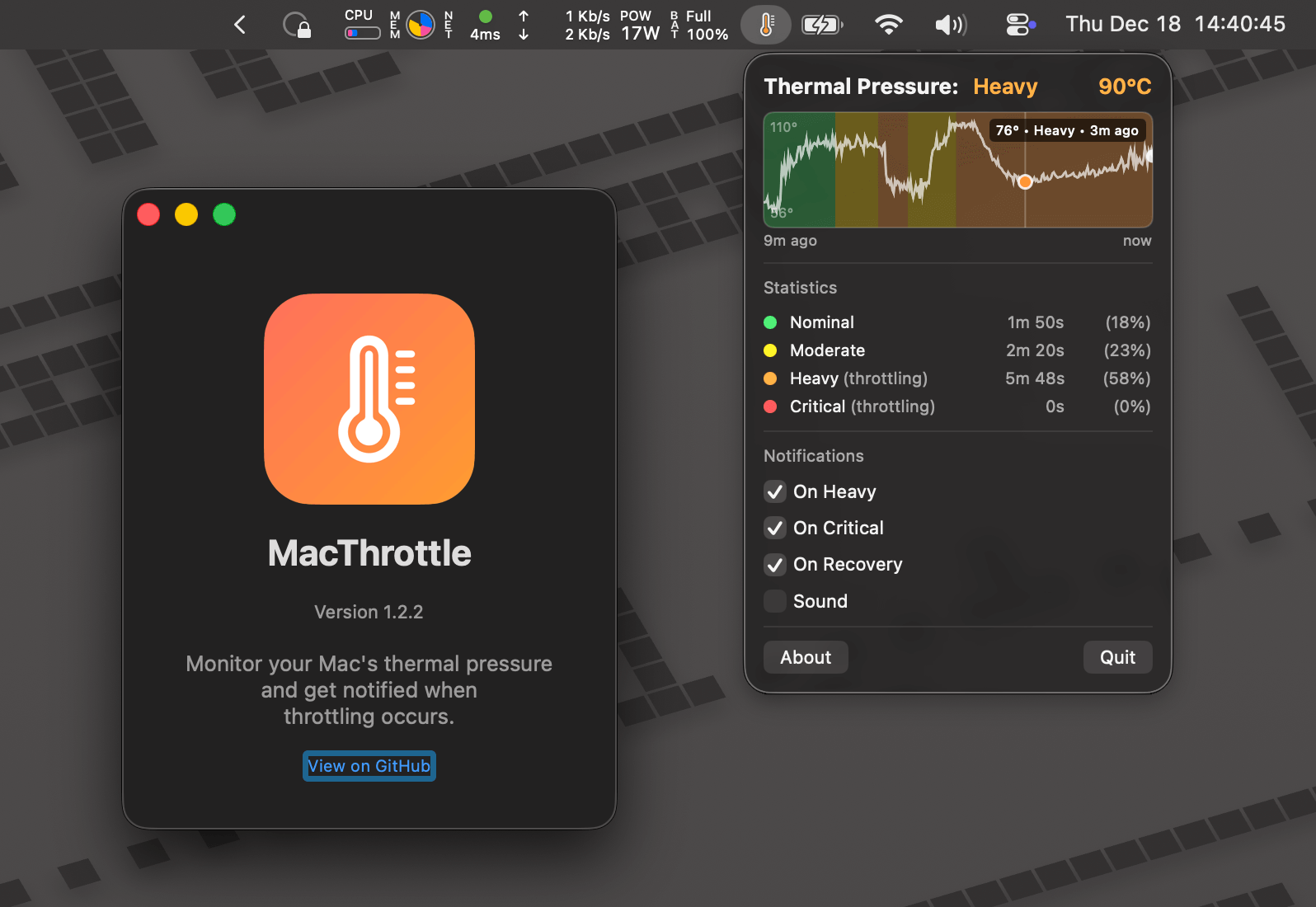
The author set out to build MacThrottle, a compact macOS menu bar utility that indicates when an Apple Silicon Mac is thermal throttling. Initial experiments showed ProcessInfo.thermalState from Foundation lacked enough granularity compared with powermetrics, which reports more detailed pressure levels but requires root. Investigating further revealed thermald publishes thermal pressure to the Darwin notification system under com.apple.system.thermalpressurelevel, allowing non‑privileged subscribers to receive usable state updates. The final app is a SwiftUI MenuBarExtra with LSUIElement set to hide the dock icon. Early versions used a root helper: a launchd daemon that periodically ran powermetrics, wrote a JSON file to /tmp, and the app polled that file. After discovering the notifyd approach, the developer replaced the helper with direct notification subscriptions. For temperatures and fan speeds, the app prefers SMC readings (with per‑SoC key lists) and falls back to IOKit when SMC access fails, and it visualizes history in a compact colored graph and a thermometer menu icon.
Why it matters
- Thermal state information can be obtained without elevated privileges by subscribing to Darwin notifications from thermald.
- ProcessInfo.thermalState may compress distinct powermetrics levels into fewer categories, making it less useful to detect real throttling events.
- SMC temperature access differs across Apple Silicon generations, so readers should expect varying stability and key names between SoCs.
- A lightweight menu bar UI provides an immediate visual correlation between thermal pressure, temperature, and fan activity.
Key facts
- ProcessInfo.thermalState exposes four named values (nominal, fair, serious, critical) but has coarser granularity than powermetrics.
- powermetrics reports thermal pressure levels such as nominal, moderate, heavy, trapping, and sleeping and requires root to run.
- thermald publishes the current thermal pressure to the Darwin notification system under com.apple.system.thermalpressurelevel, which can be read without root.
- The developer subscribed to the notification using low‑level notify_* APIs to obtain numeric pressure values mapped to labels (0 = nominal, 1 = moderate, 2 = heavy, 3 = trapping, 4 = sleeping).
- An early implementation used a root launchd helper that ran powermetrics periodically and wrote a JSON state to /tmp for the app to read.
- The app is a SwiftUI MenuBarExtra and is configured as an agent (LSUIElement = true) so it has no dock icon.
- Temperature readings come from the SMC when possible; example SMC key groups differ by SoC (samples shown for M1, M2, M3 families).
- When SMC readings are unavailable or unstable, the app falls back to IOKit temperature APIs.
- The menu bar visualization includes a small graph encoding thermal history with colored segments for different pressure levels and a thermometer icon that changes fill and color.
What to watch next
- Whether Apple aligns ProcessInfo.thermalState granularity with powermetrics so a single API reliably indicates throttling
- not confirmed in the source: any upcoming changes to thermald or the com.apple.system.thermalpressurelevel notification format
- not confirmed in the source: how stable SMC key mappings will remain across future Apple Silicon revisions
Quick glossary
- Thermal throttling: A CPU/GPU behavior where performance is reduced to limit temperature and prevent hardware damage.
- powermetrics: A macOS command‑line tool that samples and reports power and thermal metrics; it typically requires root to run.
- notifyd / Darwin notifications: A system notification facility on macOS that processes and system services can publish to and subscribe from without necessarily requiring elevated privileges.
- SMC (System Management Controller): A controller providing low‑level hardware telemetry such as temperatures and fan speeds; access methods and keys can vary by SoC.
- ProcessInfo.thermalState: A Foundation API that reports the running process's thermal state as a coarse enumeration (e.g., nominal, fair, serious, critical).
Reader FAQ
How does MacThrottle detect when a Mac is throttling?
It subscribes to the Darwin notification com.apple.system.thermalpressurelevel published by thermald to read thermal pressure values without root.
Does the app require root to run?
No—after switching to notifications, the app can read thermal pressure without elevated privileges. An earlier helper approach used powermetrics and required admin rights.
Does it display temperatures and fan speeds?
Yes. The app tries SMC keys first for accurate temperatures and falls back to IOKit when SMC access fails; fan speed is shown when supported.
Can I make the app start at login?
not confirmed in the source
Building a macOS app to know when my Mac is thermal throttling 27 December 2025 · 1791 words · 9 mins macos programming Table of Contents Getting the thermal state…
Sources
- Building a macOS app to know when my Mac is thermal throttling
- How to monitor and control thermal CPU throttling in OS X?
- Hot is macOS menu bar application …
- This tiny macOS menu bar app detects CPU throttling due …
Related posts
- Apple-notarized macOS malware rising as attackers exploit notarization gap
- Dialtone revives AOL 3.0 on modern hardware via a P3 protocol server
- One-page printable yearly calendar that auto-fits any paper size