
TL;DR
Monitors in 2025 offer a wider range of panel technologies, sizes, and price points than before; choosing the right screen depends on trade-offs between contrast, brightness, pixel density, and features. The guide breaks down LED/IPS variants, OLED, and mini-LED, plus aspect ratios, resolution vs. size, and practical buying advice.
What happened
The article walks readers through the current monitor landscape, explaining the main panel and backlight technologies and how they affect image quality and cost. LED panels—most commonly IPS—remain the mainstream option, with advanced IPS variants (IPS Black, Nano IPS) improving contrast and color. OLED monitors, now available at much lower prices than in early rollouts, deliver true blacks, strong viewing angles and fast response but retain some burn-in risk that manufacturers mitigate with pixel-shift and refresh features. Mini‑LED sits between traditional LED and OLED, using many local dimming zones to boost brightness and contrast; its effectiveness depends heavily on the number and control of dimming zones. The piece also covers aspect ratios (16:9, 21:9, 32:9), pixel density as the real measure of sharpness, and practical notes on curves, refresh rate, input lag, and ports. For readers upgrading from old 1080p monitors, the Dell 27 Plus 4K is singled out as a strong value pick.
Why it matters
- Monitor choices meaningfully affect work and gaming experience—contrast, color accuracy, size and resolution change comfort and productivity.
- Newer panel tech (OLED, mini‑LED, advanced IPS) shifts price-to-performance trade-offs, so buyers can get higher image quality without previously typical costs.
- Understanding pixel density and the pairing of size with resolution prevents buying a display that appears soft or overly pixelated.
- Different designs (ultrawide, super ultrawide, curved) suit specific workflows and games; wrong choices can reduce ergonomics or be impractical for typical desks.
Key facts
- LED backlighting with IPS LCD panels remains the most common, with IPS variants (IPS Black, IPS Black 2.0, Nano IPS) improving contrast and color.
- OLED uses individually lit pixels for very deep blacks and strong viewing angles; many OLED monitors claim up to 1,000 nits peak HDR brightness for highlights.
- Burn-in on OLED is possible but manufacturers now use pixel refresh, pixel shifting, and extended warranties to reduce the everyday risk.
- Mini‑LED backlights use local dimming zones; a higher number of zones generally improves contrast and reduces blooming—examples cited range from a few hundred to over a thousand zones.
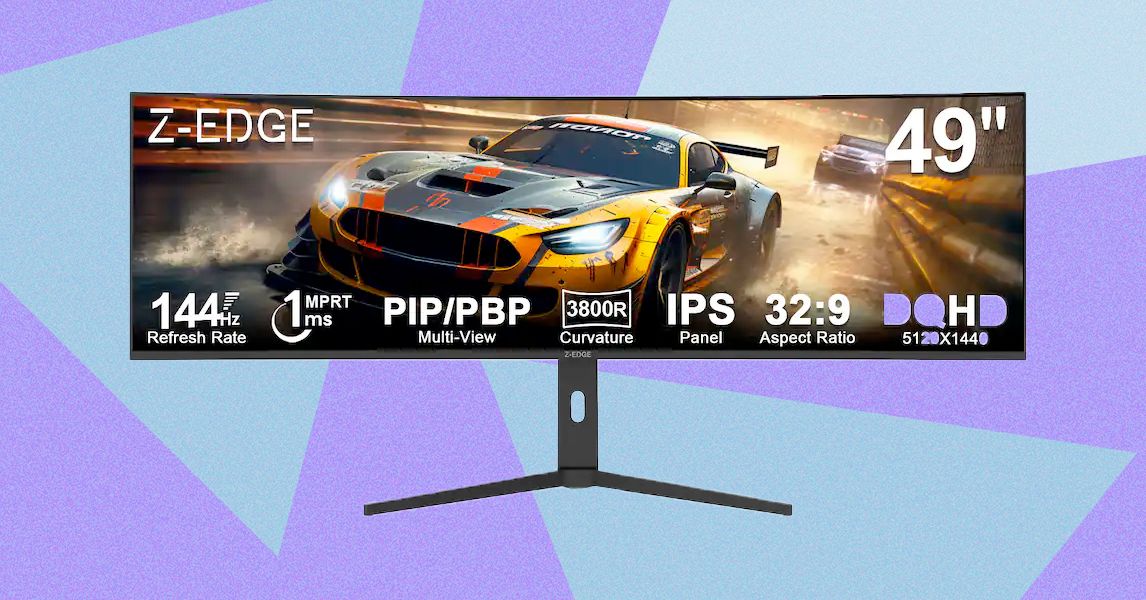
- 16:9 remains standard; 21:9 ultrawide is popular for gaming and multitasking, while 32:9 super ultrawide (45–49 inches) is niche and requires specific use cases and desk space.
- Pixel density (ppi) matters more than resolution alone; example: a 27-inch 4K screen is about 163 ppi versus a 27-inch 1440p screen at roughly 109 ppi.
- Curvature is measured in millimeter radii (e.g., 3800R, 1800R, 800R) and influences immersion; more aggressive curves are typically aimed at gaming.
- The article recommends the Dell 27 Plus 4K as a sharp, color-accurate, and affordable upgrade from decade-old 1080p monitors.
What to watch next
- Wider adoption and falling prices of OLED monitors, including nongaming creator models from mainstream brands.
- Role of mini‑LED as a brighter, burn‑in‑resistant alternative in higher‑end displays and select products like Apple's Pro Display XDR.
- not confirmed in the source
Quick glossary
- OLED: A display technology where each pixel emits its own light, enabling true blacks, high contrast, and wide viewing angles.
- Mini‑LED: A backlighting approach that uses many small dimming zones to improve contrast and peak brightness compared with traditional LED backlights.
- IPS (In‑Plane Switching): A type of LCD panel known for good color reproduction and wide viewing angles; widely used in modern monitors.
- Pixel density (ppi): Pixels per inch; a measure of sharpness that combines resolution and screen size to indicate how detailed an image will appear.
- Local dimming zone: A section of a backlight that can be dimmed or brightened independently to improve contrast in mini‑LED and some LED displays.
Reader FAQ
Is OLED safe from burn‑in for everyday computer use?
Manufacturers now include pixel refresh, pixel shifting, and longer warranties to reduce burn‑in risk; long‑term industry testing suggests burn‑in is possible but not common for most users.
Should I buy an ultrawide monitor?
Ultrawide (21:9) is useful for gaming and multitasking as an alternative to dual screens; super ultrawide (32:9) is large and best only for specific workflows.
What is the most important spec to consider?
Match resolution to screen size to achieve adequate pixel density—ppi is the key measure of perceived sharpness.
Which monitor is recommended for upgrading from an old 1080p screen?
The article recommends the Dell 27 Plus 4K as a strong, affordable upgrade option.
Are mini‑LED displays better than OLED?
not confirmed in the source
LUKE LARSEN GEAR DEC 24, 2025 8:30 AM How to Choose a Computer Monitor You Won’t Hate in a Few Years PC monitors are cheaper, faster, and more beautiful than…
Sources
- How to Choose a Computer Monitor (2025): Everything You Need to Know
- PC Monitor Buying Guide: What to Look for in 2025
- The 7 Best Monitors of 2025
- Computer Monitor Buying Guide: Size, Resolution, Ports, …
Related posts
- Samsung’s 2026 Odyssey monitors push 6K glasses-free 3D and up to 1,040Hz
- 30 discounted tech gifts still on sale and likely to arrive by Christmas
- Pixel 10 Drops to Nearly 50% Off on Amazon With Limited-Time Code