
TL;DR
Apple's AirPods Pro 3 include a built-in heart rate sensor that records readings to the iPhone Health app and can help close Activity rings without an Apple Watch. Users must enable the feature in iPhone Settings and follow fit and hygiene guidance for best results.
What happened
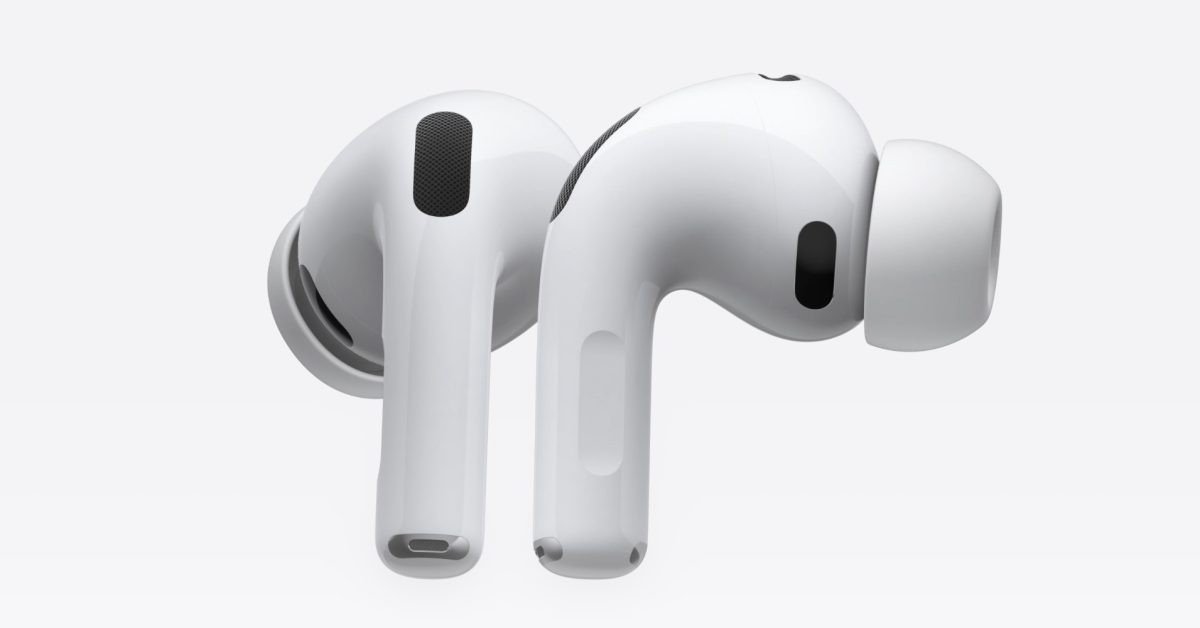
The AirPods Pro 3, introduced by Apple this fall, include an optical heart rate sensor that logs pulse data to the iPhone Health app. To start using the capability, put the earbuds in and open the iPhone Settings app, select your AirPods entry at the top, then enable the 'Heart Rate' option near the bottom of that screen. Once active, heart rate readings are automatically stored in Health; you can view them by opening Health and searching for the Heart section. Apple says the earbuds can also be used to complete Activity rings for users who don't have an Apple Watch, and the feature offers unspecified additional benefits within Apple Fitness+. If both AirPods Pro 3 and an Apple Watch are worn, the system will track heart rate with both devices and record whichever source it deems highest confidence at any given time.
Why it matters
- AirPods are moving beyond audio into basic biometric monitoring, expanding where heart-rate data can be collected.
- Users without an Apple Watch can now close Activity rings using only earbuds and an iPhone.
- Automatic logging to the Health app centralizes heart-rate data for tracking and sharing with other apps.
- Integration with Apple Fitness+ provides new options for fitness subscribers, per Apple.
Key facts
- AirPods Pro 3 include a heart rate sensor and were introduced by Apple this fall.
- To enable the feature, wear the earbuds, open iPhone Settings, tap the AirPods name, and toggle 'Heart Rate' on.
- Heart rate readings are automatically logged to the Apple Health app; find them by searching for 'Heart' in Health.
- AirPods Pro 3 can enable users to close Activity rings without needing an Apple Watch.
- Apple lists a fit test in Settings as one way to check the earbud fit for better readings.
- Apple recommends keeping personal Health data (height, weight, gender, age) up to date to improve measurement accuracy.
- Cleaning the AirPods and checking for ear conditions, moisture, earwax, piercings, or nearby metal jewelry can help sensor performance.
- When you wear both AirPods Pro 3 and an Apple Watch, both devices collect heart-rate data; Apple records the 'highest-confidence source' at a given time.
- The article notes unspecified 'special perks' for AirPods Pro 3 users in Apple Fitness+.
What to watch next
- Whether Apple will expand the types of biometric data AirPods can capture in future updates is not confirmed in the source.
- If third-party apps will gain direct access to AirPods Pro 3 heart-rate data beyond Health is not confirmed in the source.
- Whether Apple will bring the same sensor to other AirPods models or future revisions is not confirmed in the source.
Quick glossary
- Heart rate sensor: A device component that detects pulse or heartbeat data, typically using optical or electrical methods, to estimate heartbeats per minute.
- Apple Health app: Apple's central app for storing and viewing health and fitness data collected from iPhone, Apple Watch, and compatible accessories.
- Activity rings: A visual summary used by Apple to represent daily Move, Exercise, and Stand goals; closing rings indicates meeting those targets.
- Apple Fitness+: A subscription fitness service from Apple that provides guided workouts and integrates with Apple devices and biometrics.
Reader FAQ
How do I turn on heart rate sensing for my AirPods Pro 3?
Wear the AirPods, open iPhone Settings, tap your AirPods at the top, then scroll to and enable the 'Heart Rate' option.
Where are the heart rate readings stored?
Readings are automatically logged to the Apple Health app; you can find them by searching for 'Heart' inside Health.
Do AirPods Pro 3 replace an Apple Watch for heart-rate tracking?
Not confirmed in the source. The article states AirPods can close Activity rings without an Apple Watch, but it does not claim they replace a watch.
What affects the accuracy of readings?
Apple recommends ensuring a good earbud fit, keeping Health profile data current, cleaning the AirPods, and being aware that earwax, moisture, piercings, skin conditions, or nearby metal jewelry can affect results.
iOS 27: Here are seven new features rumored to be coming Ryan Christoffel Dec 30 2025 AIRPODS AIRPODS PRO 3 AirPods Pro 3 have a powerful new health feature, here’s…
Sources
- AirPods Pro 3 have a powerful new health feature, here’s how to use it
- Track your heart rate during workouts with AirPods Pro 3
- Airpods Pro 3 – how to use the heart rate…
- Will the heart rate sensor of AirPods Pro 3 work on iPhone 15?
Related posts
- 9to5Mac Product of the Year 2025 — Why the iPhone 17 Tops Apple’s Lineup
- Apple TV January 2026 lineup: Returning thrillers, comedy and kids shows
- Unboxed a new Apple Watch? How to charge it as fast as possible