
TL;DR
Nathan Edwards, a senior reviews editor, replaced Windows with a Linux distribution (CachyOS) to test whether it can be a low-fuss replacement for his desktop. Early results: basic hardware, gaming, and printing worked, though a few peripherals and small hiccups appeared.
What happened
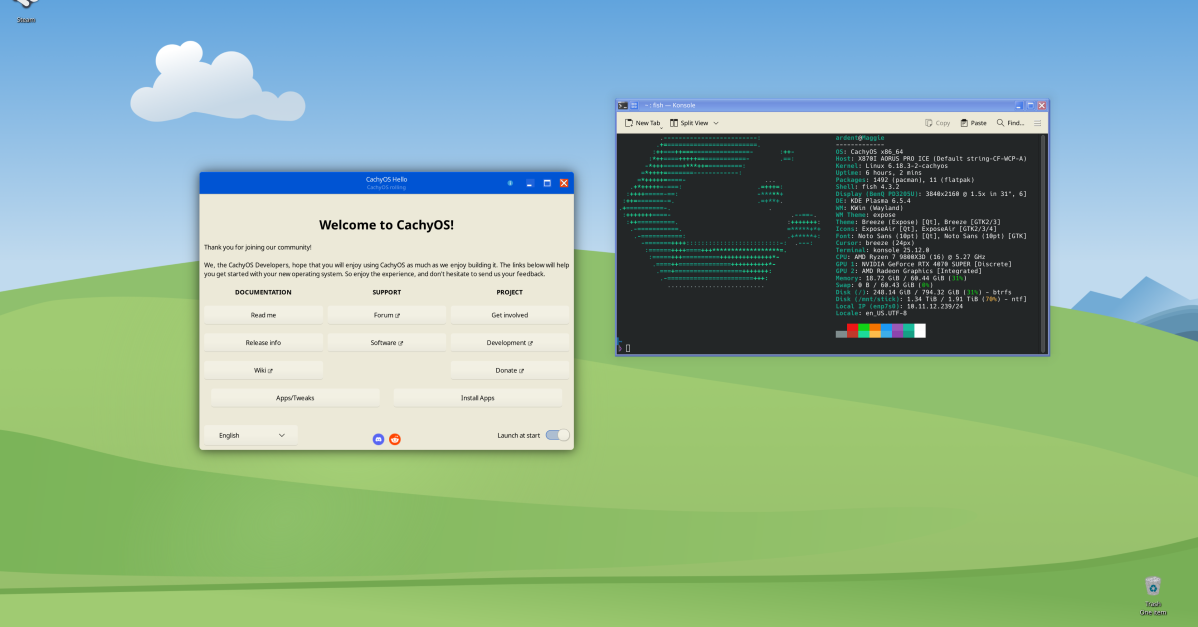
In a self-described experiment to see whether Linux could replace Windows without extensive tinkering, Nathan Edwards installed CachyOS on his desktop after a series of unrelated personal setbacks delayed the switch. He chose CachyOS because it’s geared toward modern hardware and has a reputation for being easy to set up for gaming. Edwards reports that several tasks he expected to be difficult—such as getting his Nvidia graphics card running—were straightforward. Other things that seemed like they would be simple proved less so, and he encountered an odd issue with a gaming mouse that only functions inside games. Despite those bumps, he used the Linux system for work during the week, launched one video game, and successfully printed a document. Edwards framed the move as an attempt to avoid adding a high-maintenance hobby, testing whether Linux is a workable everyday alternative to Microsoft’s OS.
Why it matters
- Demonstrates that a modern Linux distribution can handle typical desktop tasks like work, gaming, and printing.
- Suggests some hardware—including Nvidia GPUs—can be straightforward to set up on the right distro.
- Highlights that peripheral compatibility may still produce unexpected, small issues.
- Shows a low-effort migration approach is possible for users unwilling to spend extensive time researching or tweaking.
Key facts
- Author: Nathan Edwards, senior reviews editor (formerly Wirecutter and Maximum PC).
- Published Jan. 10, 2026 on The Verge.
- Edwards began the decision to install Linux in November and physically installed it on his desktop on a Sunday evening after unrelated setbacks.
- He selected CachyOS rather than a more common distro, citing optimization for modern hardware and gaming setup ease.
- Getting an Nvidia graphics card working went smoothly, contrary to Edwards' expectations.
- He encountered at least one quirky peripheral problem: a gaming mouse that only works while in games.
- Edwards used the Linux setup for work, played one video game, and printed a document successfully.
- His stated goal was to avoid spending a lot of time tweaking or researching before the switch.
What to watch next
- Whether Edwards publishes follow-up entries tracking longer-term stability and additional hardware compatibility (not confirmed in the source).
- If additional gaming or peripheral issues arise as he uses the system more (not confirmed in the source).
- Whether he changes distributions or adjusts his setup over time (not confirmed in the source).
Quick glossary
- Linux distribution (distro): A packaged version of the Linux operating system that includes the kernel, system tools, applications, and a package manager; examples vary in target use and ease of setup.
- Nvidia graphics card: A line of GPUs commonly used for gaming and graphics workloads; driver setup can vary by operating system and distribution.
- Gaming mouse: A computer mouse designed with features tuned for gaming, such as high polling rates, programmable buttons, and configurable DPI settings.
- CachyOS: A specific Linux distribution; distributions can emphasize features like hardware support, package management, or ease of setup for particular uses.
Reader FAQ
Which Linux distribution did he install?
He chose CachyOS.
Did his Nvidia graphics work?
Edwards reports the Nvidia graphics card setup was straightforward.
Were there any peripheral problems?
Yes — he noted a gaming mouse that only functions while in games.
Will he keep using Linux long-term?
not confirmed in the source
TECH GAMING DESKTOPS I replaced Windows with Linux and everything’s going great Linux diary, chapter one: winging it. by Nathan Edwards Jan 10, 2026, 3:00 PM UTC 11 11 Comments…
Sources
- I replaced Windows with Linux and everything's going great
- My Experience Transitioning from Windows to Linux
- Looking back at my transition from Windows to Linux
- When you switched from Windows to Linux, what were your …
Related posts
- Why Is Greenland Part of the Kingdom of Denmark? A Short Historical Overview
- I Replaced Windows with Linux on My Desktop — Everything’s Going Well
- Org Mode Syntax: A Practical, Standardized Lightweight Markup for Text