
TL;DR
A browser-hosted ear-training memory game by Shaun Pedicini is available at lend-me-your-ears.specr.net. The web app lets users connect a MIDI keyboard or use an on-screen piano and requires a user interaction before it will play audio.
What happened
A web-based musical ear training game created by Shaun Pedicini is live at lend-me-your-ears.specr.net. The interface presents controls labeled Start, Listen, Piano and Mode, and offers both an on-screen piano and support for connecting a physical MIDI keyboard. The site includes a banner noting that the browser needs a user interaction before audio playback is enabled, and an option to "Click to Enable Audio." The page identifies itself as a memory game designed to teach players to play piano by ear. There is no further detail on lesson structure, account systems, pricing, or user data handling visible on the landing page. The project appears shared as a Show HN item, linking directly to the playable demo hosted on the specr.net domain.
Why it matters
- Ear training tools can be run directly in a browser, lowering friction for casual practice.
- Support for MIDI keyboards allows integration with physical instruments rather than forcing only virtual input.
- On-screen piano option reduces the hardware barrier for newcomers who lack keyboards.
- Browser autoplay restrictions require explicit user interaction, an important usability detail for audio apps.
Key facts
- Creator: Shaun Pedicini.
- Accessible at: https://lend-me-your-ears.specr.net/.
- Described as a musical ear training memory game intended to teach playing piano by ear.
- Interface elements shown: Start, Listen, Piano, Mode.
- Offers both an on-screen piano and the option to connect a MIDI keyboard.
- Page includes a prompt that the browser requires user interaction before playing sounds and a "Click to Enable Audio" message.
- Shared as a Show HN submission.
- No details on pricing, user accounts, or learning curriculum are visible on the landing page.
What to watch next
- Whether the site records or stores user progress or performance: not confirmed in the source.
- Compatibility and latency when using a connected MIDI keyboard across different browsers and devices: not confirmed in the source.
- Mobile browser behavior and responsiveness for the on-screen piano: not confirmed in the source.
Quick glossary
- Ear training: Practice exercises designed to improve the ability to identify pitches, intervals, chords and rhythms by ear.
- MIDI (Musical Instrument Digital Interface): A technical standard that allows electronic musical instruments and computers to exchange performance data.
- On-screen piano: A virtual keyboard displayed in the browser that users can interact with using mouse or touch input.
- Autoplay policy: Browser rules that block or restrict automatic audio playback until a user interacts with the page.
Reader FAQ
Who built this app?
Created by Shaun Pedicini.
Do I need a keyboard to use it?
You can connect a MIDI keyboard or use the provided on-screen piano.
Will audio play automatically when I open the page?
No. The site notes the browser requires a user interaction before it will play sounds.
Is there information about pricing, accounts, or data collection?
Not confirmed in the source.
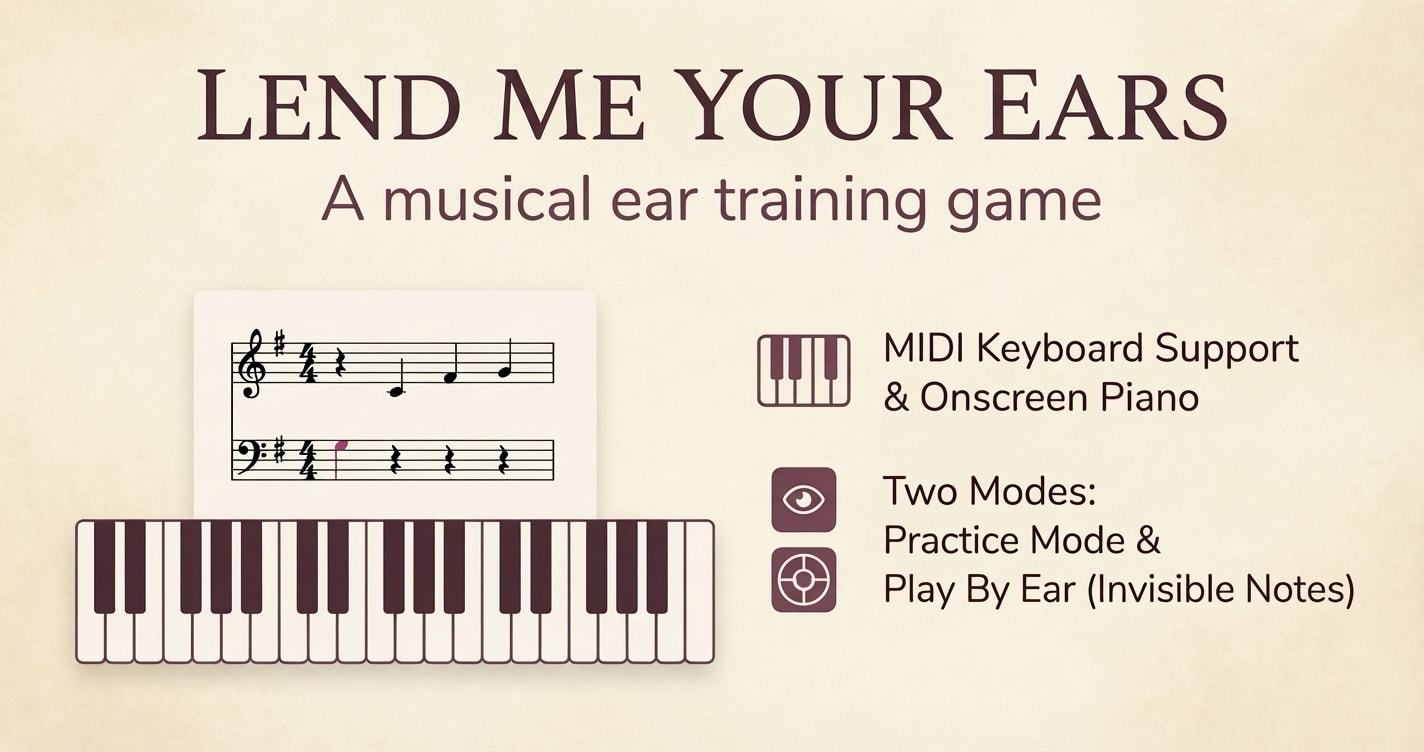
A musical ear training game Click to Enable Audio Browser requires interaction before playing sounds Start Listen Piano Mode Connect a MIDI keyboard or use the on-screen piano Created by…
Sources
- Show HN: I made a memory game to teach you to play piano by ear
- I made a memory game to teach you to play piano by ear
- Work on rhythm, character, fluency, memory, ear and voice …
- How to teach to play by ear?
Related posts
- Larian Studios Says It Will Not Use Generative AI for Art or Writing
- First Lego Star Wars sets featuring the new Smart Brick open for preorder
- Free noise evidence generator helps tenants turn recordings into court-ready reports