
TL;DR
Spotify has added its desktop Listening Activity feature to mobile, letting users share what they’re playing from a sidebar alongside chats. The update also introduces a Request to Jam tool that syncs playback between users and is rolling out on iOS and Android where messaging is available.
What happened
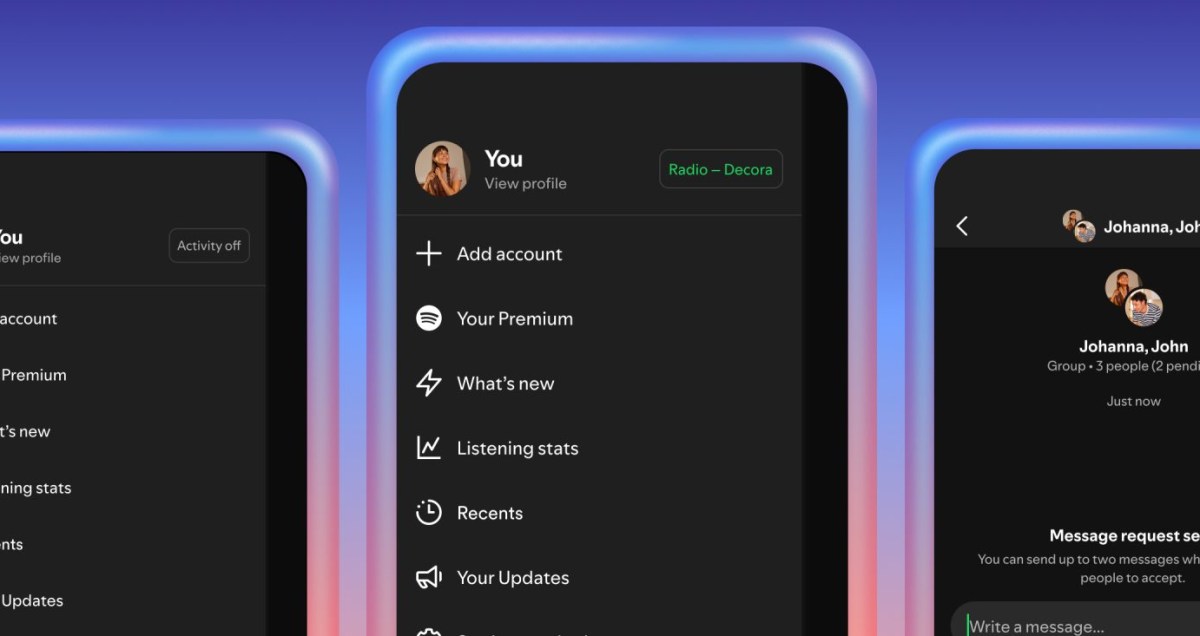
Spotify has extended its long-standing Listening Activity feature to its mobile apps, making friend-level real-time listening updates available in the mobile sidebar next to chats. The company previously tested a related community feature in 2022 but did not launch it at the time. On mobile, the listening feed is opt-in: users must enable it in the app’s privacy settings and can select which friends are allowed to see their activity. From the sidebar, people can tap a track to add it to their library or respond with emoji reactions. In the same release, Spotify added a Request to Jam function: Premium users can send a Jam request in a chat to remotely sync another person’s playback; if accepted, both participants can queue songs and chat while Spotify suggests tracks based on their shared tastes. Free users may join an invited Jam but cannot initiate requests. Both features are rolling out on iOS and Android in markets where messages are available.
Why it matters
- Brings a desktop social feature to mobile, narrowing the parity gap between platforms.
- Gives users granular control over who sees their listening through opt-in and friend-selection settings.
- Adds a synchronized, shared-listening option that could change how people discover and queue music together.
- Creates a clear distinction between Premium and free accounts for initiating shared playback sessions.
Key facts
- Listening Activity is now available on Spotify’s mobile apps.
- The mobile Listening Activity feature is opt-in and enabled via privacy settings.
- Users can choose which friends can view their listening activity.
- Listening updates appear in the mobile sidebar alongside chats.
- Songs shown in the sidebar can be tapped to add to a user’s library or reacted to with emoji.
- Request to Jam lets Premium users send a chat request to remotely sync another user’s playback.
- If a Jam request is accepted, both people can queue songs and chat while listening together.
- Spotify will suggest songs in Jams based on shared tastes.
- Free users can join a Jam if invited but cannot initiate one.
- Both Listening Activity and Request to Jam are rolling out on iOS and Android where messages are available.
What to watch next
- The current rollout on iOS and Android in markets where messages are available (confirmed in the source).
- Whether the features will be available in all markets or on every account immediately — not confirmed in the source.
- How users respond to the opt-in privacy model and whether Spotify adjusts default settings or controls over time — not confirmed in the source.
Quick glossary
- Listening Activity: A feature that shows what tracks friends are currently playing in real time.
- Opt-in: A setting that requires a user’s explicit choice to enable a feature, rather than enabling it automatically.
- Request to Jam: A chat-based feature that asks another listener to sync playback so both users hear the same music simultaneously.
- Premium user: A subscriber who pays for Spotify’s ad-free tier and additional features not available to free accounts.
Reader FAQ
How do I turn on Listening Activity on mobile?
Enable the feature in the app’s privacy settings on the mobile app (confirmed in the source).
Who can see my listening activity?
You can choose which friends are allowed to view your listening activity (confirmed in the source).
Can free users start a Jam?
No — free users can join a Jam if invited but cannot initiate one (confirmed in the source).
Was Listening Activity previously available on desktop?
Yes — Spotify has offered a desktop Listening Activity for years and is now bringing it to mobile (confirmed in the source).
NEWS ENTERTAINMENT TECH Spotify is finally bringing your friends’ Listening Activity to mobile The company is also adding a Request to Jam option to mobile chats. by Terrence O'Brien Jan…
Sources
- Spotify is finally bringing your friends’ Listening Activity to mobile
- Introducing Listening Activity and Request to Jam in …
- Spotify Now Lets You Share What You're Listening to Live …
- Introducing Messages, A New Way To Share What You …
Related posts
- Spotify expands Messages with live listening activity and Request to Jam
- CES 2026 surprises: foldables, creaseless displays, Wi‑Fi 8 and legged robovacs
- GNOME developer proposes removing Linux middle-click paste across apps