
TL;DR
Samsung delivered a large One UI 8 update that brings much of the Galaxy Watch 8 experience to the Galaxy Watch 6 via a 1.8GB download. Hardware upgrades on the Watch 8 (brighter screen, newer Exynos chip, more storage) remain real, but many day‑to‑day features now work on the Watch 6, making an immediate upgrade less compelling for existing owners.
What happened
Samsung pushed One UI 8 to the Galaxy Watch 6 as a roughly 1.8GB download, introducing the Wear OS 6 interface and several features that debuted on the Galaxy Watch 8. Notable additions include the Now Bar — a live dock that surfaces current controls at the bottom of the watch face — cleaner, interactive notifications and vertical tile stacking, and the new Double Pinch gesture for quick actions like pausing media or silencing alarms. The update shows that software can narrow the perceived gap between two generations. That said, the Watch 8 still leads in hardware: its Exynos W1000 is a newer 3nm penta‑core chip and its display peaks at 3,000 nits versus the Watch 6’s 2,000 nits; base storage is also larger on the Watch 8. Some health features that require newer sensors remain limited to the Watch 8, while core ECG and blood pressure monitoring continue to work on the Watch 6.
Why it matters
- Software updates can materially extend the useful life of wearable hardware.
- High‑end chip and brightness upgrades may not change routine wrist interactions for most users.
- Free feature backports reduce the immediate value proposition of buying the newest model.
- Sensor‑dependent health features still depend on hardware, so some new health tools won’t reach older devices.
Key facts
- One UI 8 brought the Wear OS 6 interface and many Watch 8 features to the Galaxy Watch 6 via a ~1.8GB download.
- New features on Watch 6 after the update include the Now Bar, interactive notifications, vertical tile stacking, and the Double Pinch gesture.
- Samsung’s Exynos W1000 (Watch 8) is a 3nm penta‑core chip that outperforms the Watch 6’s Exynos W930, but everyday watch interactions rarely require that extra power.
- Peak brightness: Watch 8 up to 3,000 nits vs Watch 6 at 2,000 nits; higher peak brightness can increase battery drain.
- Storage: Watch 8 base model ships with 32GB (Classic up to 64GB) while Watch 6 typically tops out at around 16GB.
- Core heart features such as ECG and blood pressure monitoring remain available on the Watch 6; some newer vascular measurements are hardware‑dependent and unavailable on Watch 6.
- After the One UI 8 update some users reported lag; recommended fixes include a cache wipe via recovery and enabling 'Reduce transparency and blur' in Accessibility settings.
- Published retail price points in the source: Galaxy Watch 6 around $300; Galaxy Watch 8 around $350.
What to watch next
- Whether Samsung commits to further major updates for the Watch 6 beyond One UI 8 is not confirmed in the source.
- Sensor‑dependent features like Vascular Load are described as hardware‑dependent and therefore unavailable on the Watch 6.
- The long‑term battery impact of repeatedly using ultra‑high peak brightness modes (3,000 nits on Watch 8) is noted as a significant drain and worth monitoring in real use.
- Community reports of post‑update sluggishness and the effectiveness of cache wipes and accessibility tweaks in restoring performance are still relevant to Watch 6 owners.
Quick glossary
- One UI 8: Samsung's wearable software version that includes a refreshed interface and feature set for Galaxy watches; in this story it brings Wear OS 6 elements to older hardware.
- Wear OS: A smartwatch operating system developed by Google and used by various manufacturers to run apps and manage watch features.
- Exynos (W1000 / W930): Samsung's line of system‑on‑chip (SoC) processors for wearables; newer models generally offer better performance and efficiency.
- ECG: Electrocardiogram — a heart monitoring feature available on some smartwatches that records the electrical activity of the heart.
Reader FAQ
Is the One UI 8 update free for Galaxy Watch 6 owners?
Yes — the update is delivered as a roughly 1.8GB download according to the source.
Does the Galaxy Watch 6 now have all the same health sensors as the Watch 8?
No. Core features like ECG and blood pressure monitoring remain available on Watch 6, but some newer sensor‑dependent metrics (for example Vascular Load) require Watch 8 hardware.
Should a Watch 6 owner upgrade to the Watch 8 immediately?
For the author, and per the source's assessment, the upgrade is hard to justify because many Watch 8 features arrived on the Watch 6 via One UI 8; individual needs (brightness, storage, advanced sensors) may still make the Watch 8 worthwhile for some users.
What if my Watch 6 feels sluggish after the update?
Community‑reported remedies include wiping the cache from recovery and enabling 'Reduce transparency and blur' in Accessibility settings; this is noted in the source.
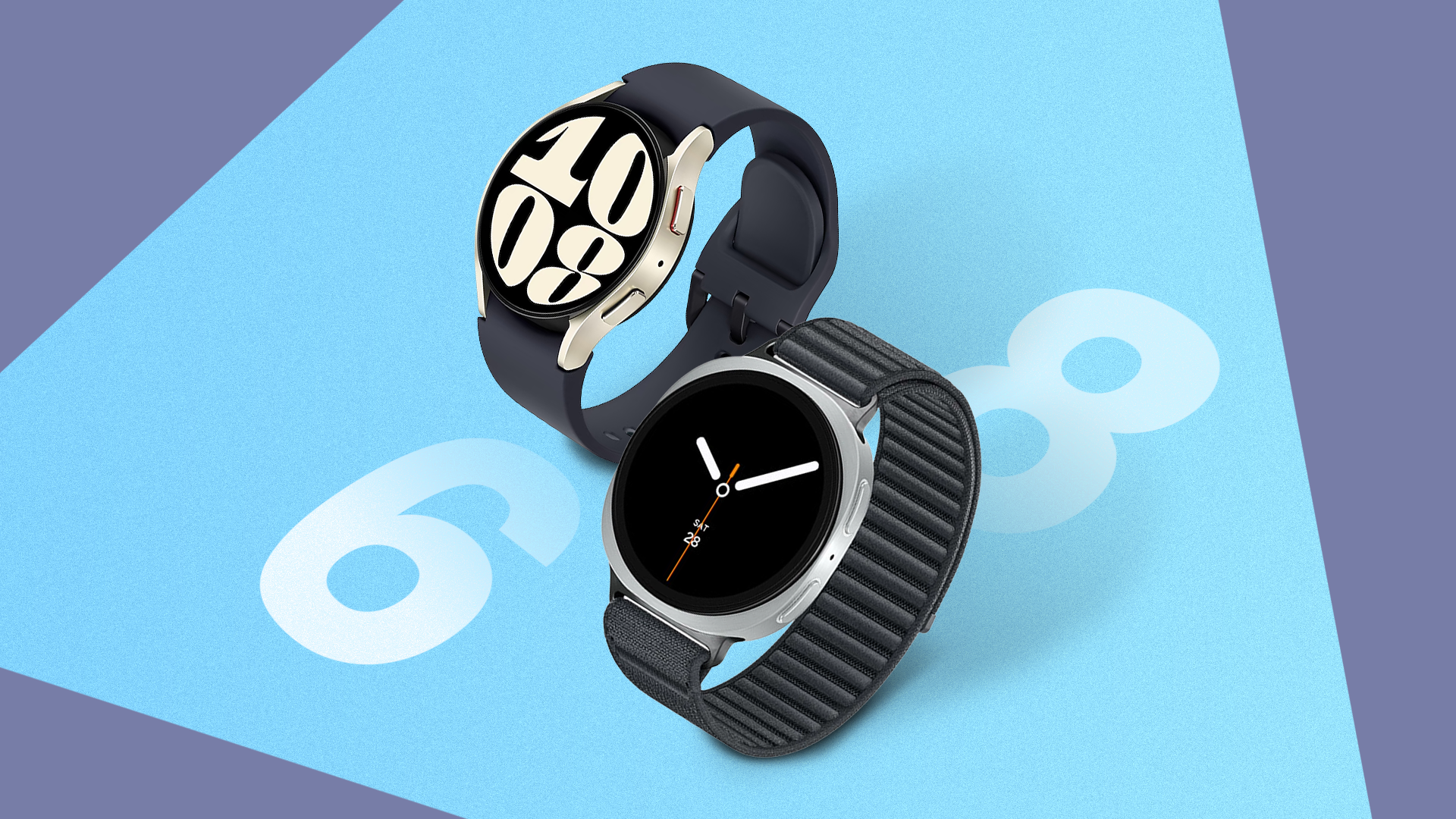
Why I'm keeping my Galaxy Watch 6 even though the Watch 8 is better Credit: Lucas Gouveia / Android Police By Ben Khalesi Published 14 minutes ago Ben Khalesi covers the…
Sources
- Why I'm keeping my Galaxy Watch 6 even though the Watch 8 is better
- Watch Update makes Galaxy Watch 6 WORTHLESS!
- Got a Galaxy Watch 4? You May Not Want to Install …
- The One UI 8 Watch update nearly ruined Galaxy …
Related posts
- The 11 best Nintendo Switch 2 games we played in 2025 — top picks
- Garmin Vivoactive 5: a sleek, feature-rich smartwatch for most users
- Tested Over-the-Counter Sleep Aids (2025): Gummies, Drinks, Patches